
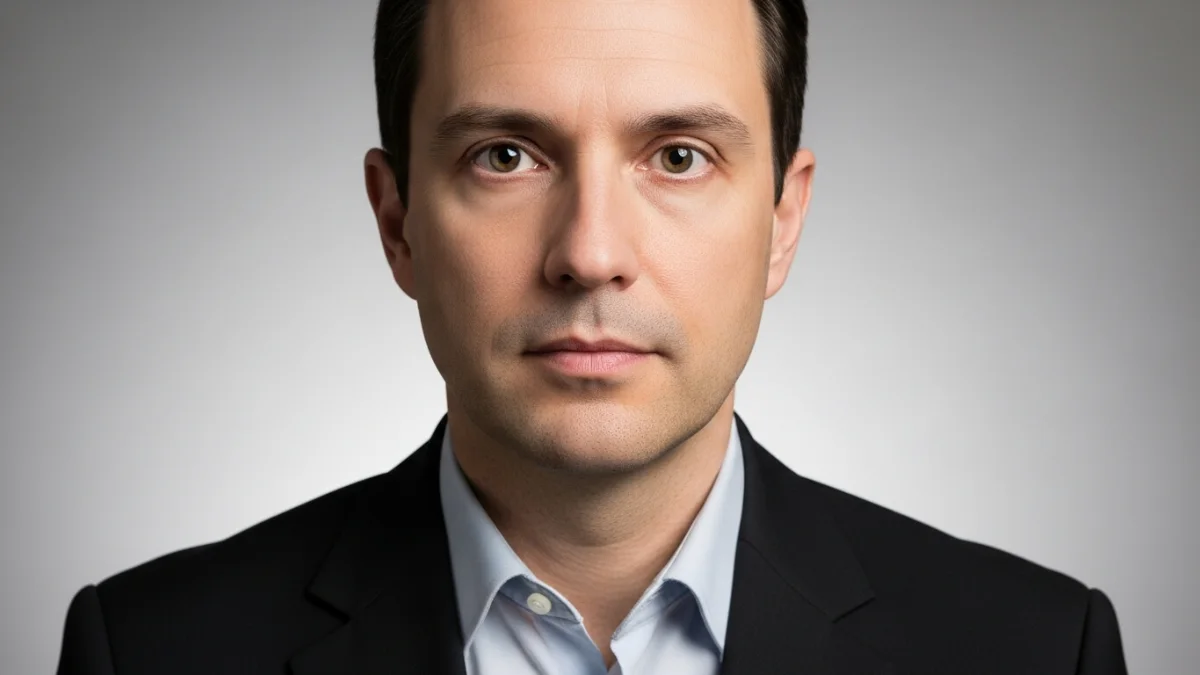
पासपोर्ट photo लेना कभी-कभी stressful हो सकता है — especially when lighting, background and framing must be perfect. Gemini AI prompts help you convert casual selfies into official-looking passport images or cinematic 4K headshots. Below are 25+ prompts, step-by-step instructions, and FAQ for reliable results.
Why use Gemini AI for passport & photo editing
Gemini AI models are flexible with natural-language prompts and produce photorealistic images. Use lighting, background, lens, and resolution modifiers to create images that meet passport or high-quality headshot standards. Learn more from our AI Image Generation Guide.
Prompt anatomy — what to include
- Subject: age, gender, clothing (e.g., “adult male, formal shirt”).
- Pose & expression: “frontal, neutral expression, eyes open”.
- Background: “plain white” or “neutral light gray”.
- Lighting: “soft even studio lighting, no harsh shadows”.
- Camera specs: “50mm lens, 4K, true-to-life skin tones, high detail”.
- Compliance modifiers: “uncropped head and shoulders, centered, full face visible”.
25+ Gemini AI Prompts (categorized)
Frontal headshot of a 30-year-old adult, neutral expression, formal shirt, plain off-white background, even studio lighting, minimal retouching, high detail, 4K, realistic skin tones, centered composition, face filling ~70% of frame.
Close-up portrait, neutral expression, plain white background, balanced lighting, crop to official passport dimensions (head and shoulders), realistic texture, 4K.
Frontal headshot of a person without glasses, neutral expression, even lighting, plain light gray background, high clarity, natural skin tones, 4K, centered.
Frontal headshot, neutral expression, plain background, studio lighting, gentle skin smoothing (non-destructive), no heavy airbrushing, 4K, realistic facial features.
Frontal portrait of a child (5 years), neutral expression, plain light blue background, soft even lighting, high detail, 4K, centered, allow slight head tilt if required by child comfort.
Frontal headshot of a senior woman, neutral expression, soft studio lighting, plain light gray background, 4K, unretouched.
Frontal portrait with glasses, remove reflections and maintain frame, neutral expression, even lighting, 4K, natural skin tones.
Three-quarter studio portrait, soft Rembrandt lighting, shallow depth of field, color graded cinematic tones, 4K, high dynamic range, realistic skin.
Classic studio headshot, neutral background, soft fill light, natural skin tones, 50mm lens look, 4K, subtle vignette.
Portrait taken in low light, automatically brighten face, reduce noise, preserve skin tones, natural color, 4K, studio-level finish.
Remove busy background and replace with plain white or neutral gray, ensure natural edge around hair, maintain original lighting on face, 4K.
High-resolution passport-style image, neutral expression, plain background, even lighting, subtle skin smoothing, realistic textures, 4K.
Official ID portrait, frontal view, plain background, minimal shadows, neutral expression, 4K, realistic head proportions, centered face.
Frontal shot, neutral background, consistent even lighting, color-accurate skin tones, crop to passport size, 4K, soft focus edges.
Young adult male, plain background, neutral expression, realistic skin, even soft lighting, centered composition, 4K, passport dimensions.
Professional female headshot, frontal, plain white background, subtle makeup, balanced lighting, 4K, cinematic clarity, natural skin tones.
Neutral frontal portrait, plain gray background, slight softbox lighting, subtle skin correction, natural facial expression, 4K.
Teenager headshot, frontal, plain off-white background, even lighting, natural look, minimal retouch, 4K, centered face.
Senior male portrait, frontal, plain light beige background, neutral expression, soft lighting, realistic skin details, 4K.
Headshot with mask removed, maintain facial features, even lighting, plain background, high resolution, realistic skin, 4K.
Frontal portrait, plain background, 4K, realistic skin tones, passport requirements, centered, neutral expression, official ID ready.
Professional frontal portrait, plain light gray background, soft even lighting, minimal retouch, centered face, 4K, neutral expression.
Frontal headshot, plain background, 4K, natural skin tone, studio-level lighting, centered, neutral facial expression, unedited.
Passport-style headshot, frontal view, even lighting, neutral background, face centered, minimal retouch, 4K, realistic skin texture.
Frontal headshot, official passport composition, neutral expression, plain background, studio lighting, subtle skin smoothing, centered, 4K.
How to use Gemini AI prompts (step-by-step)
- Copy any prompt from above by clicking the Copy button.
- Open Gemini AI (or compatible text-to-image generator).
- Paste the prompt into the prompt field.
- Adjust resolution or output aspect ratio if needed (recommended 4:3 or square for passport).
- Generate image → review → minor refinements using modifiers.
- Export final 4K image in WEBP or PNG for optimal quality.
Tips & common mistakes
- Always use neutral expression for official images.
- Maintain consistent lighting; avoid shadows on the face.
- Use plain backgrounds; Gemini AI can remove busy backgrounds automatically.
- Verify dimensions and crop according to passport/ID requirements.
- Subtle retouching only; over-editing may invalidate official acceptance.
FAQs
- Q: Can Gemini AI generate official passport images?
A: Yes, using proper prompts, lighting, and background settings. Always verify with local passport regulations. - Q: What resolution is recommended?
A: 4K resolution is ideal for clarity and printing purposes. - Q: Can I generate multiple versions?
A: Yes, experiment with subtle prompt variations for multiple outputs. - Q: Are the generated images compliant for IDs?
A: Use plain background and centered face prompts; confirm with local ID rules.
Useful Sites
- OpenAI — general AI info.
- Passport photo guidelines (India) — official rules.
- Gemini AI official site — for tool reference.
- Photography tips — related to headshots and lighting.
- AI in image editing — tech article.
Also see:
Google Photos AI Prompts 2025: अपने Photos को Gemini AI से बनाएं Stunning Artworks
Top 10 AI Fashion Tools 2025: Transforming Design, Virtual Lookbooks & 4K Fashion Portraits